-1.png?width=325&height=55&name=Betco_logo%20rev%20(002)-1.png)
Batteries are discharged
-
Ensure batteries are fully charged
-
Locate charger below operator console
-

-
- Review LED display on charger.
Signal (LED)
Meaning
Red LED is on First phase of charging is in progress Yellow LED is on Second phase of charging is in progress Green LED is on End of charge or maintenance phase Yellow LED flashing Battery issue, battery not connected, or output short circuit Red LED flashing Safety time exceeded internal short circuit - Ensure green LED indicating charging has been completed is illuminated
- Review LED display on charger.
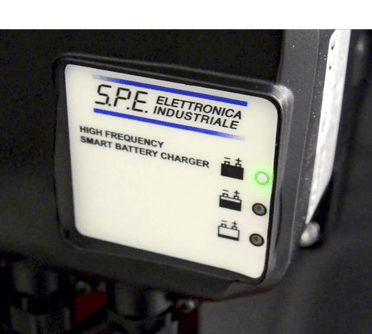
-
- If red or yellow LED is illuminated, allow charging cycle to be completed